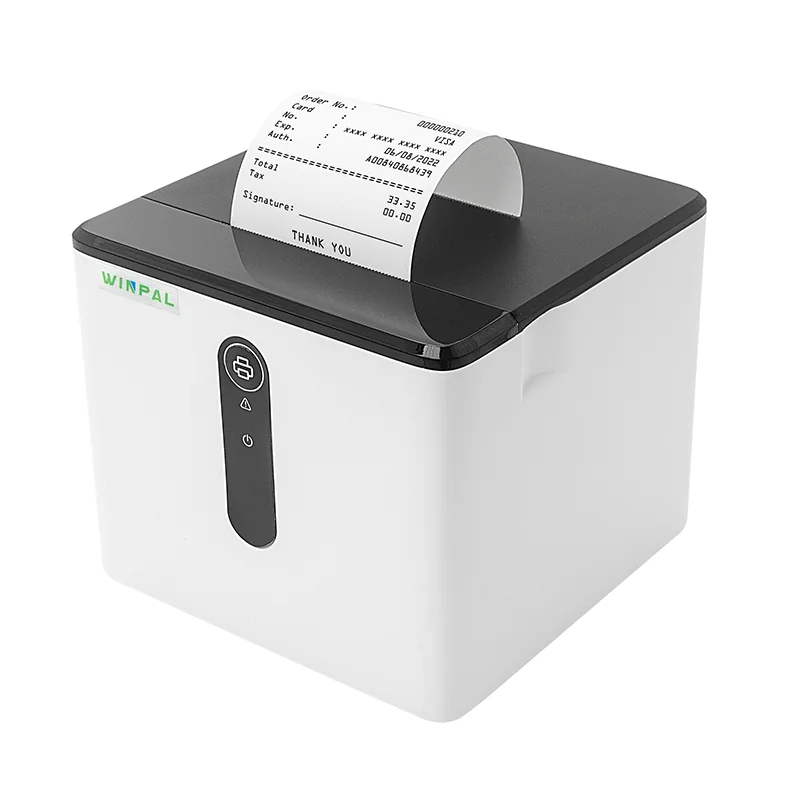
When it comes to streamlining transactions and ensuring that every sale is documented accurately, a receipt maker machine is essential for businesses of all sizes. At Winpal, we understand that choosing the right POS receipt printer can make all the difference in terms of efficiency and reliability. Whether you’re a small business owner or a large retail chain, integrating the right thermal receipt printer into your operations is crucial. In this article, we will walk you through how to effectively use your thermal receipt printer, like the Winpal WP-G1, and get the best results from your equipment.
Understanding the Basics of Thermal Printing Technology
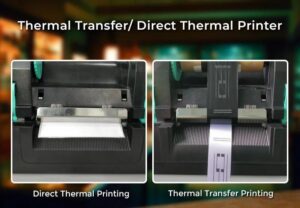
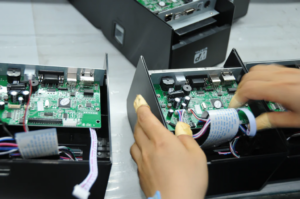
Before diving into the specifics of using your Winpal POS receipt printer, it’s important to understand how thermal printing works. Unlike inkjet or laser printers, thermal receipt printers use heat to transfer ink onto paper. The Winpal WP-G1, for example, operates using direct thermal printing, which eliminates the need for ink or toner. Instead, it uses heat-sensitive paper that darkens when exposed to heat. This method is not only cost-effective but also fast, as the printer can produce receipts at a speed of up to 90mm/s.
Setting Up Your Winpal Thermal Receipt Printer
Setting up your Winpal receipt maker machine is quick and simple. Once you’ve unboxed your POS receipt printer, the first step is to ensure the printer is properly connected. The WP-G1 supports multiple interfaces, including USB and USB+Bluetooth, so you have flexibility depending on your system. Whether you’re connecting to a point-of-sale (POS) system or a mobile device, the setup process is straightforward. At Winpal, we offer clear instructions to guide you through each step, ensuring your printer is ready to go without hassle.
Printing Your First Receipt
Once you have your Winpal POS receipt printer set up, it’s time to print your first receipt. The WP-G1 supports a variety of functionalities, such as printing multiple 1D barcodes, NVLOGO downloads, and customizable receipt formats. You can print barcodes for inventory tracking or customize your receipts to include your business logo and other essential information. To start printing, simply load the thermal paper into the printer, choose the correct settings via your POS software, and hit print. With a print speed of 90mm/s, the WP-G1 will generate your receipt in no time.
Upgrading Your Winpal Printer for Continued Performance
One of the advantages of the Winpal WP-G1 is its ability to receive IAP online upgrades. As technology continues to evolve, it’s essential to keep your printer up to date with the latest features and improvements. Whether it’s enhancing the printing speed, improving compatibility, or adding new features, Winpal ensures that your receipt maker machine remains efficient and functional for years to come. Regular upgrades will allow you to keep up with changes in POS software and maintain smooth operations.
Conclusion
In conclusion, the Winpal WP-G1 thermal receipt printer is a valuable asset for any business that needs reliable and efficient receipt printing. With its simple setup, high-speed printing capabilities, and flexible interface options, it offers an excellent solution for businesses that want to streamline their transaction processes. By following the steps outlined in this article, you can get the most out of your POS receipt printer and ensure that your receipt printing needs are always met with high quality and efficiency. At Winpal, we are committed to providing the best receipt maker machine solutions to support your business growth.