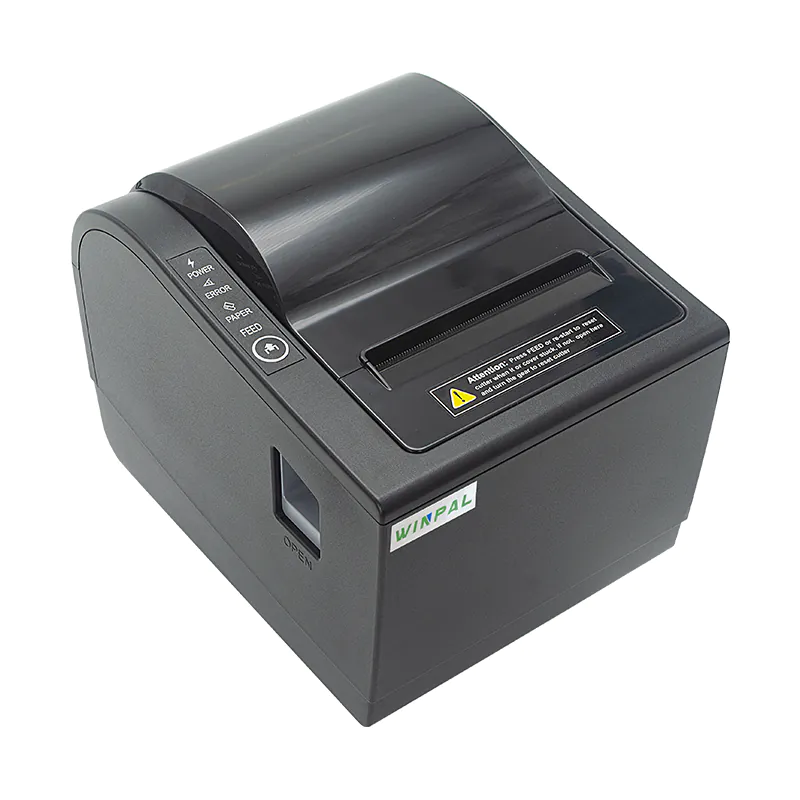
Running a smooth and efficient point-of-sale (POS) system is essential for any business, and having the right receipt printer plays a significant role in this. POS receipt printers, such as the Winpal WP-A1 Thermal 80mm Receipt Printer, are designed to make transaction processes quick and seamless. Whether you’re operating a retail store or a busy restaurant, learning how to utilize a receipt printer effectively can drastically enhance your service efficiency and customer satisfaction.
Understanding the Features of Your Receipt Printer
The Winpal WP-A1 Thermal 80mm Receipt Printer offers a variety of features that can improve the speed and quality of your printing tasks. With the capability to print on both 58mm and 80mm paper widths, this POS receipt printer is adaptable to different receipt sizes based on your business needs. One of the standout features of the Winpal WP-A1 is its fast printing speed of up to 300mm/s, ensuring that your transactions are completed quickly, without keeping customers waiting. Plus, the ability to perform online firmware upgrades ensures that your printer remains up-to-date and reliable for your daily operations.
Setting Up Your POS Receipt Printer for Quick Transactions
To begin using the Winpal WP-A1 receipt printer, it’s important to get the printer set up properly. This model supports multiple interfaces, including Bluetooth, which is ideal for businesses that need a wireless connection. Bluetooth functionality is a game-changer, especially for businesses on the move, such as food trucks or pop-up shops. Once you’ve connected the POS receipt printer to your device, you can begin printing receipts quickly. The printer’s compact design ensures it fits into small spaces, making it a practical solution for businesses with limited counter space.
Optimizing Printing Efficiency with Your POS Receipt Printer
Once your Winpal receipt printer is set up and ready to go, it’s time to optimize it for your daily use. Ensure that you’re regularly updating the firmware to keep the printer running smoothly. A fast receipt printer like the Winpal WP-A1 can significantly increase your service speed, but it’s crucial to maintain it for long-term performance. You should also make sure you are using the correct paper rolls—whether 58mm or 80mm—to avoid paper jams and ensure continuous printing. Having a stock of thermal paper on hand will keep you prepared during high-traffic hours.
Why the Winpal WP-A1 Is a Smart Investment
The Winpal WP-A1 Thermal 80mm Receipt Printer stands out as an excellent choice for any modern business. Its speed, ease of use, and versatility make it ideal for a variety of industries. Whether you’re printing invoices at a retail store or providing receipts in a restaurant, this POS receipt printer delivers high-quality, efficient results. Investing in the Winpal WP-A1 means more than just purchasing a printer; it’s about creating a smooth transaction experience for both customers and staff.
Conclusion
In conclusion, integrating a reliable receipt printer like the Winpal WP-A1 into your POS system can greatly improve your business operations. The fast printing speed, ease of setup, and Bluetooth functionality make it a solid choice for any business looking to enhance their receipt printing process. With a focus on convenience and high-quality output, the Winpal WP-A1 helps businesses maintain a fast, efficient workflow, ultimately leading to a better customer experience.