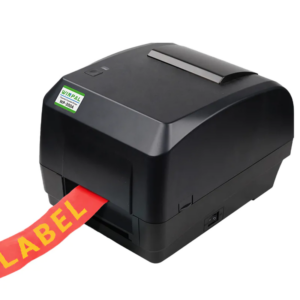
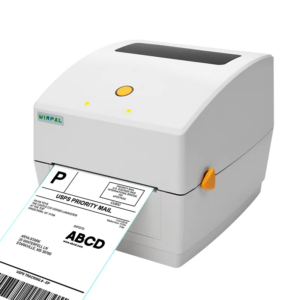
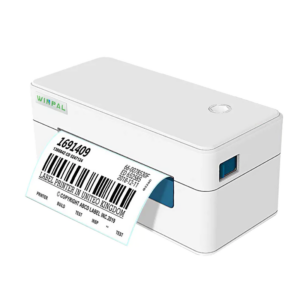
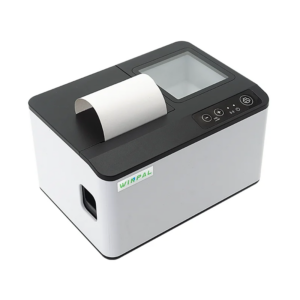
Integrating a receipt printer into your POS system is an essential step for our clients who value efficiency and reliability. At Winpal, we understand the challenges businesses face when setting up new hardware, and we have designed our solutions to make the process straightforward. Our WP-I1 58mm POS Thermal Printer supports IAP online upgrades, fixed USB port connection, and scanning functionality for multiple types of barcodes, which ensures seamless integration into various retail, logistics, and hospitality environments. Choosing the right receipt printer manufacturer can significantly influence the setup process and ongoing maintenance.
Preparation for Connection
Before connecting your receipt printer, it is important to gather all necessary components. We advise our clients to check that the power adapter, USB cable, and printer drivers are available and compatible with the POS system. Our company provides detailed manuals and download resources to ensure that every step is clear. By following these guidelines, businesses can reduce downtime and avoid installation errors. As a trusted receipt printer supplier, we emphasize the importance of proper preparation, which guarantees smooth communication between the printer and POS software.
Step-by-Step Integration
Once the preparation is complete, connecting the WP-I1 is straightforward. Start by powering the printer and connecting it to your POS system via the fixed USB port. Our system supports plug-and-play functionality, allowing quick recognition without complicated configurations. We recommend installing the latest firmware using IAP online upgrade, which keeps your printer up to date with enhanced stability and barcode scanning capabilities. Our experience as a receipt printer manufacturer shows that following these steps carefully ensures reliable printing performance and minimal interruptions in high-volume retail or hospitality operations.
Testing and Optimization
After the connection, we encourage running test prints to confirm proper installation. Our WP-I1 58mm POS Thermal Printer allows scanning and printing multiple barcode types, which is especially useful for inventory management and customer transactions. At Winpal, we provide guidance on adjusting print settings, optimizing speed up to 300mm/s, and troubleshooting common issues. Ensuring that the system works correctly before full deployment helps businesses maintain operational efficiency and avoid workflow bottlenecks.
Conclusion
Integrating a receipt printer into your POS system does not have to be complex when you choose Winpal as your trusted partner. Our expertise as a receipt printer supplier, combined with over ten years of R&D experience and a controllable supply chain, allows us to deliver quality solutions quickly. The WP-I1 supports multiple features, from IAP upgrades to barcode scanning, making it suitable for diverse business needs. We are committed to helping our B2B clients streamline their POS setups efficiently and reliably, ensuring they can focus on running their operations smoothly. By selecting a reliable receipt printer manufacturer, businesses gain not only high-quality hardware but also comprehensive support for installation and ongoing use.