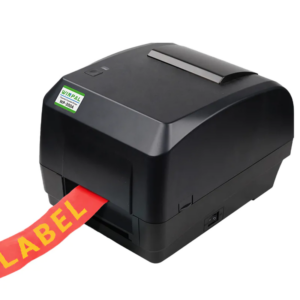
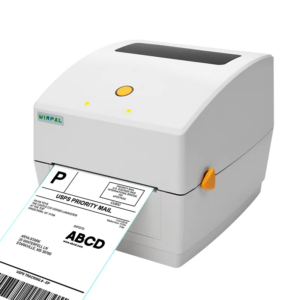
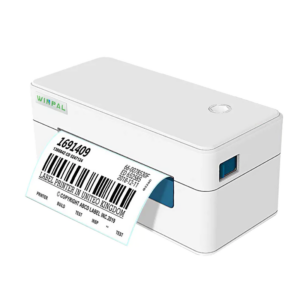
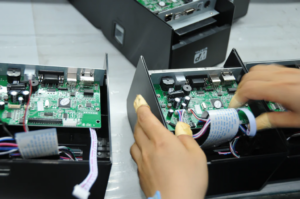
For businesses that rely on efficient point-of-sale (POS) systems, receipt maker machines like those from Winpal play a critical role in day-to-day operations. Ensuring that your receipt maker machine is properly maintained, including keeping the paper loaded, can minimize downtime and enhance overall business productivity.

Preparing Your Winpal Receipt Maker Machine for Paper Replacement
Before you begin replacing the paper, it’s essential to prepare your Winpal receipt maker machine properly to avoid any damage to the equipment or the paper itself.
Turn off the printer: Begin by powering off the receipt maker machine to ensure a safe paper replacement process.
Open the paper compartment: Gently lift the cover of the paper compartment. Depending on the model, you may need to release a lock or tab to access the paper roll inside.
Remove any remaining paper: Take out any leftover paper from the previous roll. This step ensures that no remnants of paper will interfere with the new roll.
Choosing the Right Paper for Your Winpal Receipt Maker Machine
Selecting the right paper is crucial for the smooth operation of your Winpal receipt maker machine. Using incompatible paper could lead to printer malfunctions and inefficiencies in your business processes.
Thermal paper: Our receipt maker machines use thermal paper, which is cost-effective and efficient for printing receipts quickly without the need for ink.
Correct roll size: Choose between 80mm or 58mm thermal paper rolls based on the model of your Winpal receipt maker machine. The right size ensures that the printer performs optimally, without any misfeeds or jams.
High-quality paper: Always opt for high-quality thermal paper to ensure sharp, clear prints that reflect well on your business. Poor-quality paper can result in illegible receipts, which can create problems with customer service and accounting.
Inserting the New Paper Roll and Closing the Compartment
Once you’ve selected the appropriate paper, it’s time to install the new roll into your Winpal square compatible receipt printer.
Load the paper roll: Insert the new paper roll into the compartment, making sure that it is oriented correctly. The paper should feed from the top, ensuring a smooth and efficient printing process.
Secure the paper: Once the paper is in place, make sure that it moves freely within the compartment. A correctly loaded roll will prevent jams and reduce maintenance requirements.
Close the paper compartment: Gently close the compartment lid, ensuring that it locks securely. This will keep the paper in place and ensure proper alignment as it feeds through the printer.
Power on the printer: Turn the Winpal receipt maker machine back on and perform a test print. This step ensures the paper is feeding correctly and that the print quality is optimal.
Ensuring Seamless Operation for Your Business
By following these simple steps, your Winpal receipt maker machine will be ready to handle customer transactions efficiently. For businesses, minimizing printer downtime is crucial, and knowing how to change the receipt paper quickly and correctly can keep operations running smoothly.
At Winpal, we specialize in providing receipt maker machines and square compatible receipt printers that are reliable, cost-effective, and designed to improve business operations. Whether you’re running a small retail store or managing a larger enterprise, our products help reduce operational costs, increase transaction speed, and improve the overall customer experience.
Conclusion
Changing the paper in receipt maker machine is a quick and easy process that ensures your printer runs smoothly without disruptions. By regularly maintaining your Winpal receipt maker machine with the correct paper and proper loading techniques, you’ll ensure that your business operates more efficiently and with less downtime. Trust us for high-performance, cost-effective solutions that are built to support your business’s growth.