A well-designed restaurant receipt template is much more than a proof of purchase. It is a critical tool for legal compliance, a cornerstone of customer trust, and a powerful touchpoint for brand promotion.
To help you optimize your operations, this guide explores the essential components of an effective receipt and how the right receipt printer can make a difference.
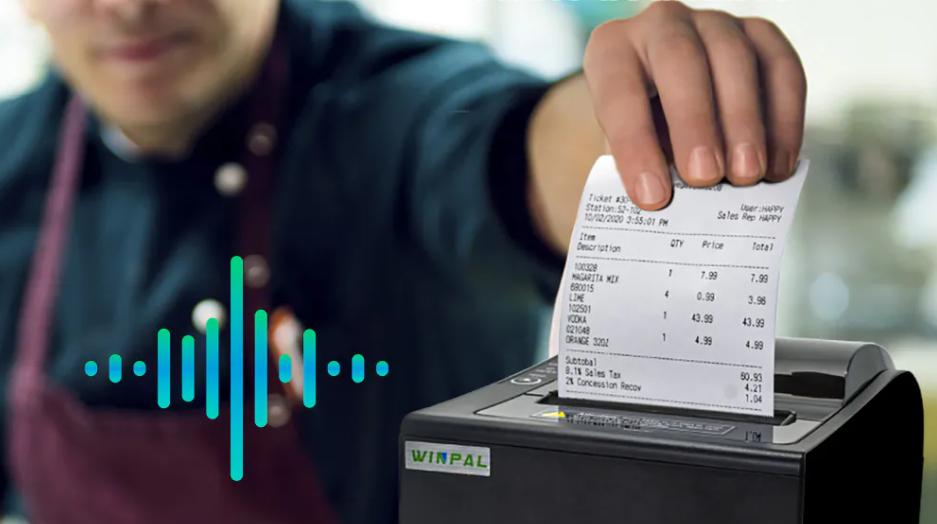
The Essential Components of a Restaurant Receipt
Here is a breakdown of what every modern restaurant should include:
1. Restaurant Identification
Your receipt is a marketing tool. The top of the paper should immediately tell the customer where they spent their money.
- Restaurant Name:This should be the most prominent text at the top.
- Logo:Including a logo adds a professional touch and aids in brand recall.
- Physical Address:Include the street, city, and postal code to help customers locate you again or for their own expense reporting.
- Contact Information:A phone number, email, and website URL allow for easy feedback or future reservations.
- Business Registration/License Number:Depending on your local laws, displaying your tax or business ID is often mandatory for official tax receipts.
2. Transaction Details
For internal tracking and customer records, the metadata of the transaction is vital.
- Date and Time:Essential for accounting and for customers tracking their spending.
- Receipt/Invoice Number:A unique serial number is the only way to quickly locate a specific transaction in your POS system.
- Table and Order Number:In a dine-in environment, this helps link the paper trail to the physical location in the restaurant.
- Server Name or ID:This encourages accountability and allows management to track performance or resolve specific service issues.
3. Itemized Order Information
Transparency is key to preventing disputes. Never just provide a “Total” without context.
- Item Names:Clear descriptions (e.g., “Truffle Fries” instead of just “Side”).
- Quantity:Especially important for group orders to verify they weren’t double-charged.
- Unit Price and Subtotal:Showing the price per item and the line-item total makes the math easy for the guest to follow.
4. Payment and Tax Breakdown
This is the most scrutinized section of the receipt. It must be error-free.
- Subtotal:The cost of all items before taxes or fees.
- Taxes:Clearly label the tax type (VAT, Sales Tax, GST) and the percentage applied.
- Discounts/Coupons:If a customer used a promo code, seeing the deduction ($/%) reinforces the value they received.
- Service Charges and Tips:Ensure these are clearly separated so the guest knows exactly what they are paying for service versus food.
- Total Amount:The final, bolded figure.
- Payment Method: Indicate if it was Cash, Visa, Mastercard, or a Digital Wallet. For card payments, include the last 4 digits for security and verification purposes.
5. Additional Branding and Policy Info
The bottom of the receipt is the perfect place for “extra mile” communication.
- Order Notes:Mentioning special requests (e.g., “No Onions”) proves the kitchen listened.
- Loyalty Points:If you have a rewards program, print the points earned during that visit.
- Thank You Note:A simple “Thank you for dining with us!” goes a long way in building rapport.
Free Receipt Template for Restaurants
Here is a visual reference of how these elements should be structured on your paper:
[Restaurant Logo & Name]
[Address, Contact Info]
Date: 2025-11-18 Time: 18:45
Receipt No: 001256 Table: 5 Server: John
Item Qty Price
————————————
Cheeseburger 2 $10.00
Fries 1 $3.00
Coke 2 $4.00
Subtotal: $17.00
Tax (10%): $1.70
Discount: -$2.00
Total: $16.70
Payment: Credit Card ****1234
Thank you for dining with us!
The Importance of Reliable Thermal Receipt Printers
While having a solid restaurant receipt template is the first step, the physical execution of that template is just as important. A blurry, slow, or constantly jamming printer can derail your service during peak hours. In a high-traffic restaurant, you need a thermal receipt printer that can handle the heat of the kitchen and the speed of the front-of-house.
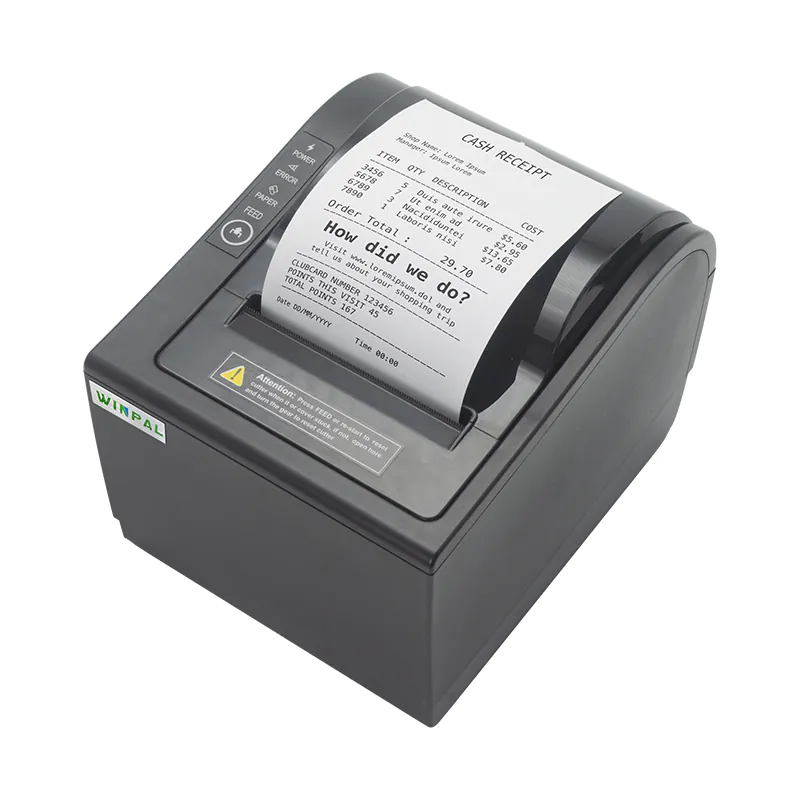
Winpal WP-A1 Thermal Receipt Printer
For business owners seeking reliability and performance, we at Winpal provide the solutions you need.
Our WP-A1 Thermal 80mm Receipt Printer stands out with its 250mm/s high-speed printing so your customers aren’t left waiting at the counter. It supports an 80mm paper width, providing ample space for all the itemized details and branding mentioned in our template guide.
It supports multiple interfaces and includes a high-reliability auto-cutter that prevents frustrating paper snags. The print head is capable of printing up to 150km of receipts before requiring replacement.
Furthermore, its sleek and wall-mountable design is ideal for saving precious counter space in crowded bar or kitchen areas.
Conclusion
Your receipt is a reflection of your brand’s attention to detail. By including the essential information, you build a foundation of transparency that customers appreciate. Investing in a high-performance thermal receipt printer like the Winpal WP-A1 is a step further to ensure your business runs efficiently every single day. Explore Winpal’s full range of products today to find the perfect printing partner for your restaurant.